
For our latest blogpost on this topic, see How to build multipage diagrams in draw.io
Confluence diagrams with multiple pages
Have you ever faced the challenge where you must put an enormous amount of information in one single diagram? That is not a problem when using draw.io for Confluence, as the grid is highly scalable, and diagrams can contain hundreds or even thousands of objects. But a diagram must also be readable for the users. Another approach is to distribute the information across multiple diagrams, and then include all of these diagrams on a single Confluence page, or distribute the diagrams in sub-pages. This is not ideal, users want to have the information quickly, in the fewest steps possible. In draw.io version 6.2 , there is a great alternative to both the huge and multiple diagram dilemmas: diagrams that consist of several pages. When you open a diagram from a Confluence page, you see the usual view of the draw.io diagram, but with an additional function: You can click to navigate backwards and forwards through the diagram’s pages - just as you would in the document viewer. (Note: the toolbar display in the macro configuration must be enabled, as it is by default.)
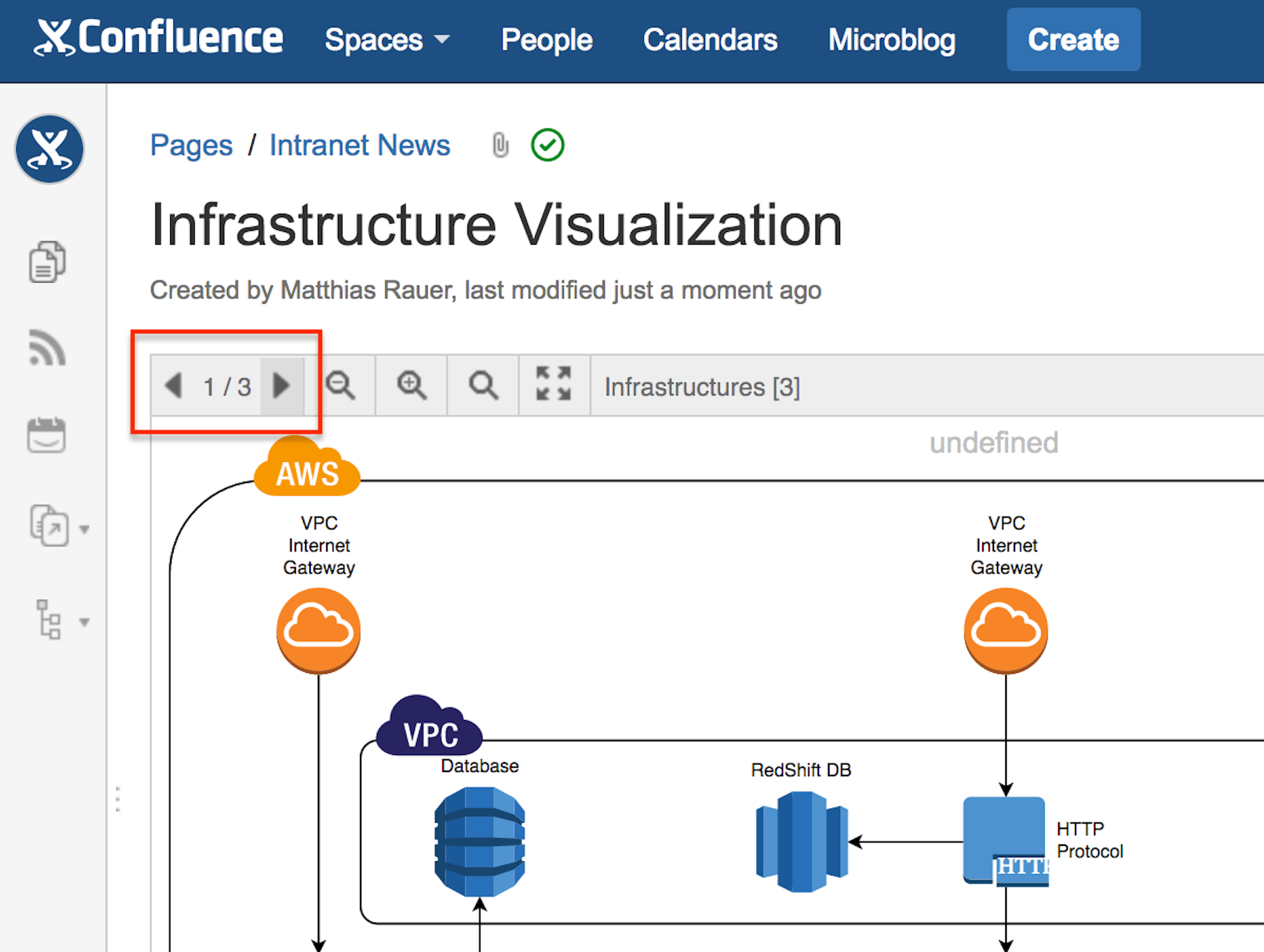
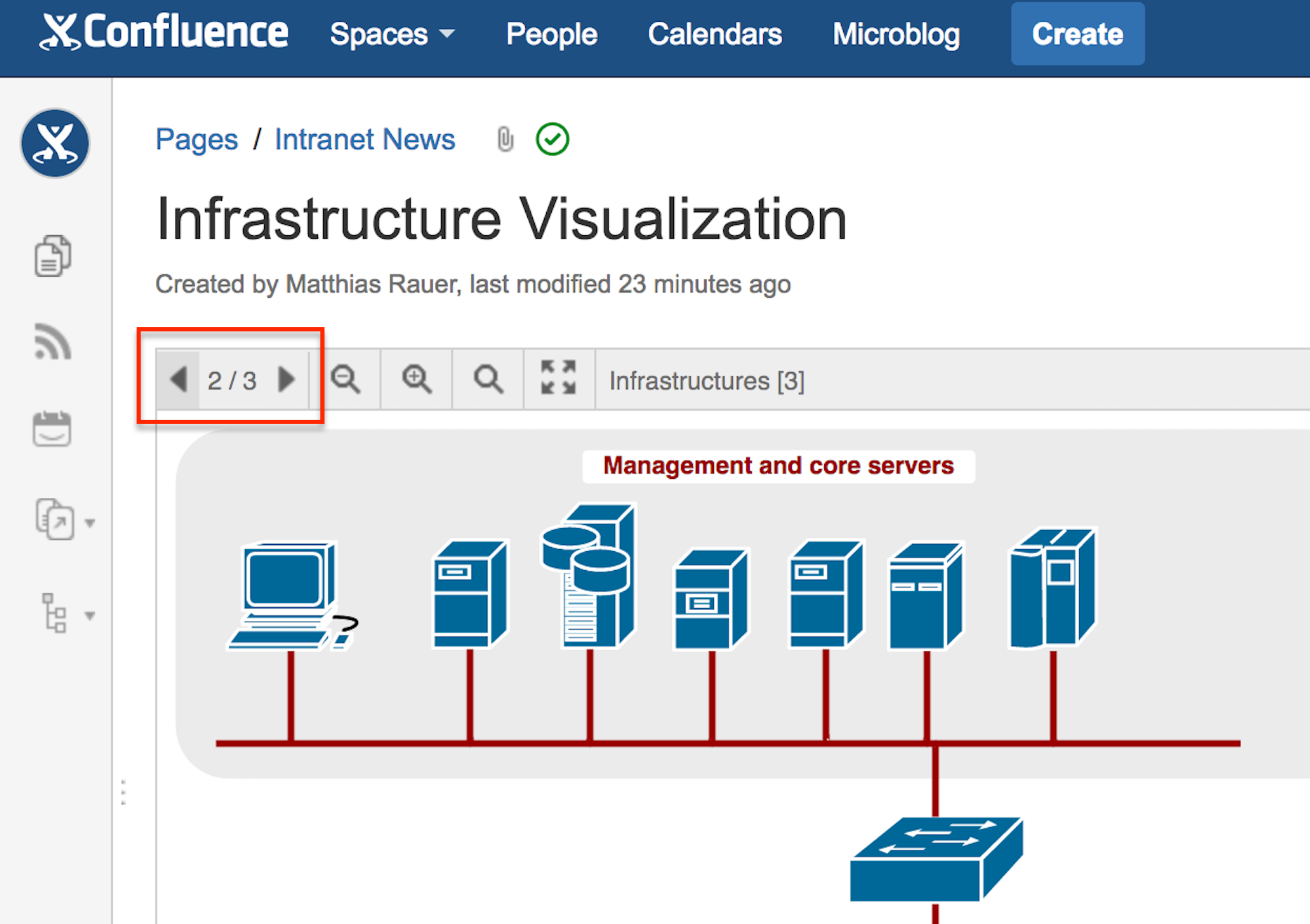
Easy to use and even more flexibility
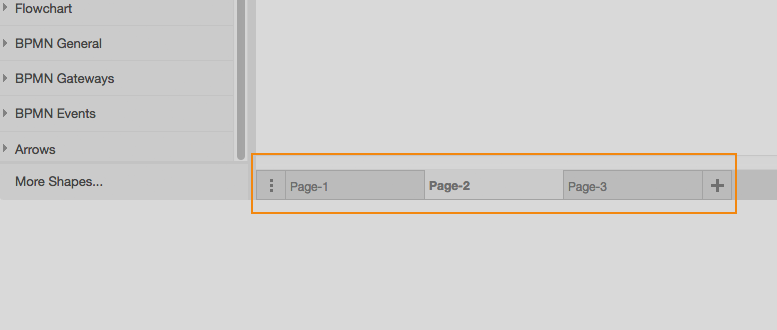
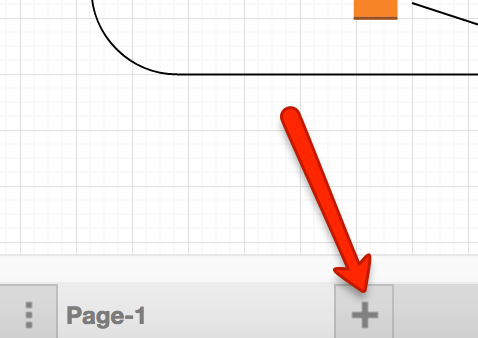
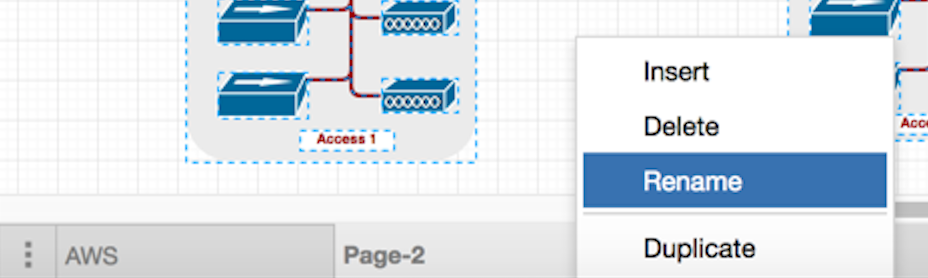
Creating a diagram with multiple pages is easy. At the edge of the window under the diagram grid is the button: ”+”. Click this to add a page to the diagram. Right click on the page’s tab to display a menu, with which you can insert contents from the clipboard, or delete, rename or duplicate the page. So easy!
With this new release, draw.io for Confluence is even more flexible, especially when visualizing complex processes and extensive content, and improves the design of the Confluence pages with diagrams.
Your partner for draw.io
If you want to learn more, you can test draw.io for free and without obligation in a Confluence or JIRA environment. JGraph and //SEIBERT / MEDIA have partnered to offer you the best technology and individual consultation and licensing from a single source. We are happy to assist you in the evaluation, licensing and adoption of draw.io – please talk to us!