
Sign up for our free webinar Visualize it: The Secret of High-Performing Teams

Sign up for free webinar

Google Team Drives Support

Categories: integration

Does your company use Google Team Drives for business file sharing within the organization? Share your draw.io digramms with Google Drive.

Is your company using Google Team Drives for business file sharing within the organization? So that you can store, share and collaborate diagrams using Google Team Drives, we’ve updated draw.io to include Team Drives as a storage location. draw.io for Google Team Drives works exactly the same as with Google Drive.

Step 1: Set your saved diagram location to Team Drives

After logging into your Team Drives account, go to draw.io, and you will be prompted to choose a location for your diagrams. Select Google Drive.
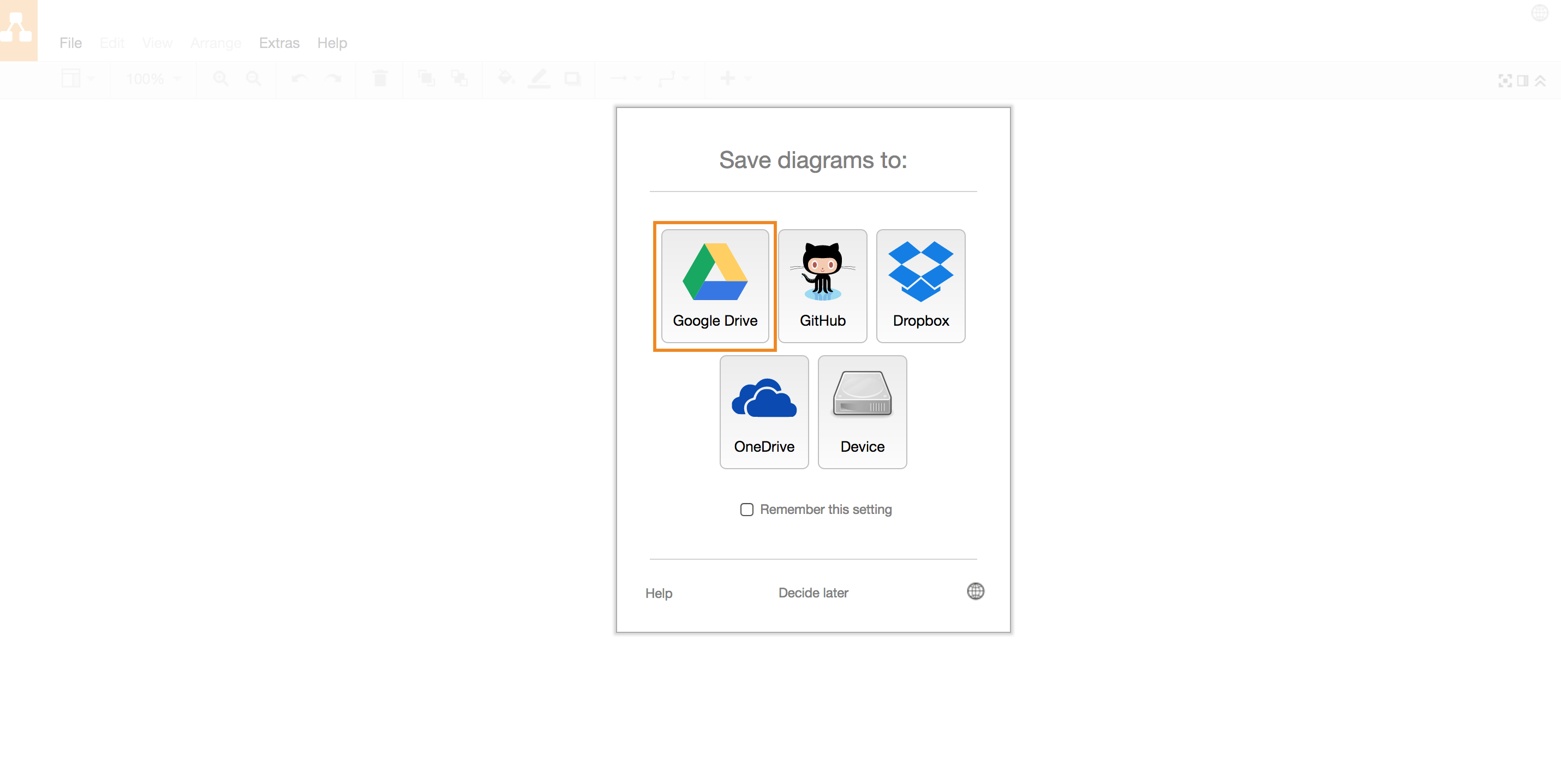
draw.io - Google Team Drives

Step 2: Create or open a diagram

Once you have selected your Team Drive as your storage location, you’ll be prompted to create a new diagram, or open an existing diagram.
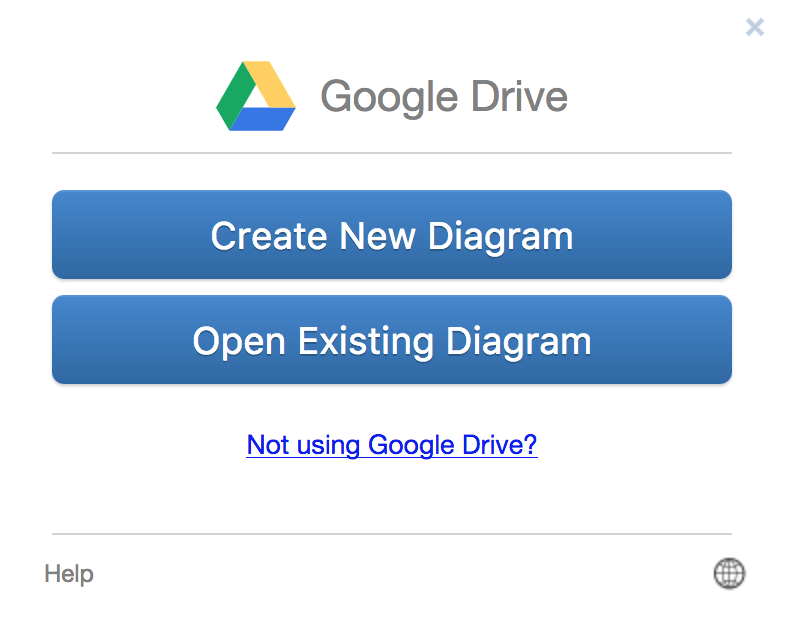
draw.io - Google Team Drives - Create a new diagram or open an existing diagram

Are you using Google Team Drives?

Let us know what you think about using Team Drives with draw.io!

Share this story

Experience the power of draw.io

How would you like to explore?

draw.io Digest – Subscribe to our Newsletter

Yes, I would like to receive the draw.io for Confluence and Jira newsletters, whitepapers, the latest blog posts, and announcements. (You can unsubscribe at any time.)

For more information about our data usage, please refer to our privacy policy.

Here you will find an overview of all cookies used. You can give your consent to whole categories or display further information and select certain cookies.