
9 Results for: Tag: import

Import VSDX files

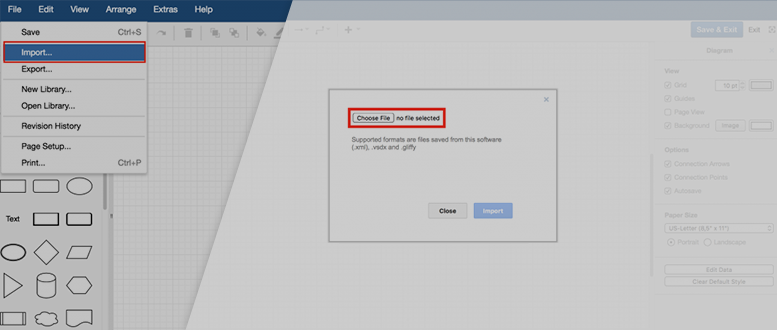
It's easy to work with files of other formats in draw.io. One of the more common diagramming formats, especially used in large companies, is the .vsdx format. Because not everyone in the company has access to this diagramming tool, they can use draw.io to open, edit and export .vsdx diagrams.

By |2025-09-16T15:32:09+02:00December 15th, 2017|migration, Visio migration|

Improved Import – More File Formats and Sources

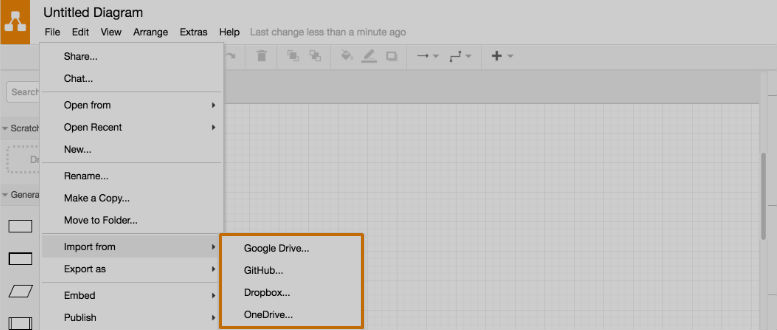
In this new draw.io release, you can now import and display diagrams with the following file formats: Gliffy, VSDX, PNG (with XML), SVG, and JPEG.

By |2024-08-09T17:55:11+02:00March 16th, 2017|integration|

Diagramming in Confluence – Mass Import from Gliffy to draw.io

For an updated version of this blogpost see, The Ultimate Guide: Migrating to draw.io from Gliffy draw.io is the most powerful diagramming add-on for Confluence. It allows you to create and collaboratively develop graphs and diagrams of any kind, directly within Confluence pages: flow charts, network diagrams, organization charts, UML diagrams, mind [...]

By |2025-12-09T10:54:08+01:00November 18th, 2016|feature, Gliffy migration|

draw.io for Confluence now with Gliffy Import

draw.io is the most powerful diagramming add-on for Confluence. It allows you to create and collaboratively develop graphs and diagrams of any kind directly within Confluence pages: flow charts, network diagrams, organization charts, UML diagrams, mind maps and more. A second, mature add-on with similar features is Gliffy. For customers who wish to upgrade [...]

By |2024-08-09T17:55:01+02:00October 24th, 2016|news|
-->

Experience the power of draw.io

How would you like to explore?